A MacBook for video editing: choose for the project you deliver
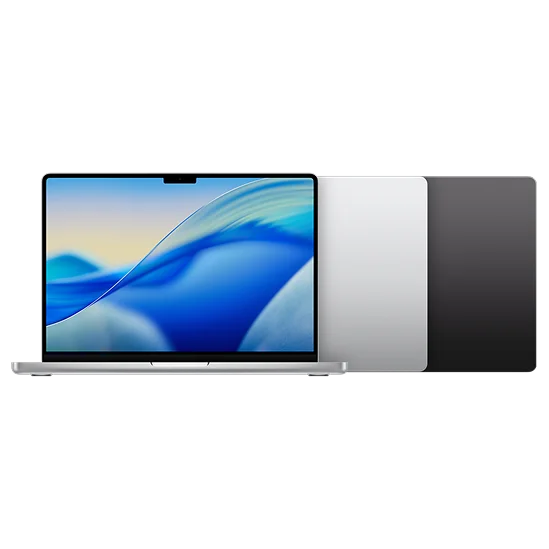
A laptop for video needs to carry the work beyond the first rough cut. Footage, effects, graphics, exports and revisions all become part of the job, sometimes while a deadline is getting closer.
Describe the projects you expect to deliver regularly and the places where you edit. That will help you decide whether an Air fits the workflow or a Pro would solve a recurring processing or capacity problem. Resolution alone does not provide the answer.
Describe the timeline before choosing the computer
Think about the cameras and formats you use, how many streams play together, and the effects applied during editing. Colour work, noise reduction, graphics, and third-party plug-ins can change the workload considerably.
The application matters too. Check its current Mac requirements and the support for your footage and plug-ins. Premiere's technical requirements provide a starting point for that application, but a minimum requirement is not a promise of comfortable editing for every project.
If you can, examine a representative project on your current machine. Note whether the difficulty comes during playback, effects work, or export. Those are more useful clues than knowing only the resolution of the source files.
An Air can make sense for lighter, manageable projects
The M5 Air is worth considering for learning, short edits, and creative work that leaves the computer some breathing space. Its quiet, fanless design and portability can suit someone who edits occasionally among other coursework or business tasks.
Proxies can also make an editing workflow more manageable by using lighter working media. They require an organized process and storage, and they do not make every effect or export equally easy. Consider whether you are comfortable with that approach rather than treating it as a universal fix.
Choose enough memory for the editor and the other applications you keep open. A project that involves graphics, browser references, and a call alongside the editor needs a different balance from a single uncomplicated timeline.
The Pro earns its place when demanding work becomes routine
Active cooling gives the MacBook Pro a different design for sustained processing than the fanless Air. That matters to investigate when long exports and heavy effects work are everyday tasks rather than occasional interruptions.
The Pro's XDR display can be useful for appropriate HDR workflows, and its SDXC slot and HDMI connection may simplify the equipment you carry. Those benefits are separate from the chip tier: a base M5 Pro laptop and a laptop with an M5 Pro chip are not the same specification.
This Metal graphics comparison uses the M5 with 10 CPU/10 GPU cores and the M5 Pro with 15 CPU/16 GPU cores. It provides context for GPU-oriented processing. Your editor's effects, media handling, memory use, and plug-in support determine how relevant that difference is to a real timeline.
M5 Base + · 10 CPU, 10 GPU vs M5 Pro · 15 CPU, 16 GPU
Metal (GPU) benchmark · Score
| Chip | Score |
|---|---|
| M5 Base + · 10 CPU, 10 GPU | 76278 |
| M5 Pro · 15 CPU, 16 GPU | 122102 |
Memory and storage are part of the edit, not optional extras
Enough working memory helps the computer accommodate the project and its active applications. More SSD capacity gives footage, caches, proxies, and exports somewhere to live. Buying more of one does not replace the other.
Decide which files need to travel inside the laptop and which can live on a fast external working drive. Leave space for media that grows during the edit, not just the original clips. Also keep a separate backup plan; the drive holding the only copy of a project is not its backup.
A bigger laptop screen can make a timeline easier to navigate away from your desk. If you already edit on an external monitor, a 14-inch Pro may offer a more convenient travel setup than a 16-inch model with capacity sacrificed to meet the budget.
Price a configuration around the projects you expect to finish
This Canadian history follows the 14-inch M5 Pro model with a 15-core CPU, 16-core GPU, 24GB of memory, and 1TB of storage. Treat it as a concrete starting point for comparison, not a requirement for every video editor.
MacBook Pro 14" (M5 Pro, 2026) · M5 Pro · 15 CPU, 16 GPU · 24GB RAM · 1024GB SSD
Canada · CAD
Loading the exact comparison…
Lowest-priced sellers
Loading the exact comparison…
Allow for project storage, backup, software, sales tax, and any display or card-reader equipment you need. If the Air handles your actual projects, those other purchases may improve the workflow more than a larger chip. If recurring processing limits disrupt paid deadlines, the Pro deserves more of the budget.
Compare MacBooks for your editing workload on WhichM by chip, memory, and storage. Choose the computer that supports the way you cut and deliver, rather than the most impressive specification attached to the word video.