iMac vs Mac mini: choose the workspace you want to live with
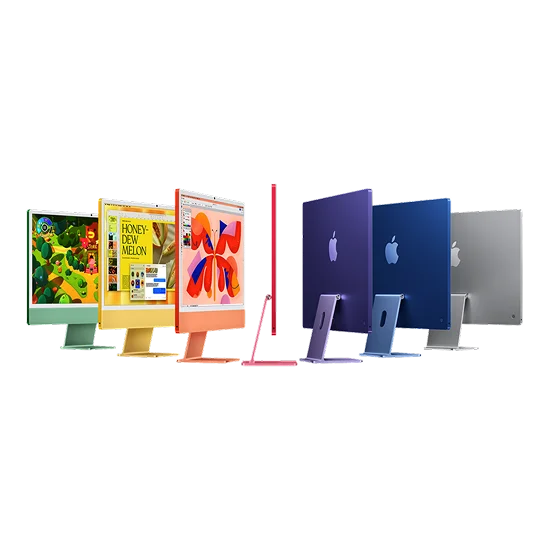
Choosing a desktop is also choosing what will be in front of you every morning. An iMac brings the computer and screen together in a straightforward setup. A Mac mini asks you to choose the display and accessories, with more freedom to keep or change them later.
The right choice often becomes clear before processor comparisons begin. Look at the equipment you already own, the space on your desk, and the kind of screen your work deserves. Then compare the total cost of two setups you would actually enjoy using.
Start with the screen, because you will look at it all day
The 24-inch iMac gives you a built-in display and a consistent overall setup. For a home office, shared family desk, or student room, that simplicity can be a substantial part of its appeal.
A mini has no built-in screen. If you already own a suitable monitor, that can make it a natural upgrade path. If you need more room for editing panels, large spreadsheets, or two applications side by side, you can choose a display around that work rather than accepting one fixed size.
Consider the display's resolution, text clarity, color needs, and connection to the Mac, as well as its diagonal size. A cheap large monitor is not automatically a better working experience than a smaller display that suits the task.
Count the equipment that turns a mini into your computer
A mini's advertised price is the price of the computer. If you need a keyboard, mouse or trackpad, webcam, microphone, and speakers, those purchases belong in the same calculation. You may already have all of them, but a first desktop buyer often does not.
An iMac offer should also be checked carefully for its included accessories and exact configuration. Do not assume every retailer's package or every used listing contains the same items.
Think about practical clutter as well as cost. A webcam, display cable, power supplies, and storage drive can all find a comfortable place on a desk, but they still require space. If a clean shared workspace is important to you, put a value on the easier setup.
Choose the processing level for the work, not the shape
The iMac M4 and the current mini options do not have identical hardware. The mini family includes M6 and M5 Pro choices, while the iMac considered here uses M4. That does not make the iMac unsuitable for everyday productivity or creative work.
For research, office applications, calls, and light creative projects, the display and configuration may matter more to your day than the newest processor name. If your workload includes regular heavy processing, investigate the relevant mini chip and memory combination more closely.
Be specific about memory. The two-port M4 iMac listed here has different options from other iMac variants, and a mini's memory options depend on its chip. A family name and a starting price are not enough to describe the computer you will receive.
Think about what you will want to change later
With a mini, you can keep a good monitor when replacing the computer, or replace the monitor without replacing the Mac. That separation can suit someone who builds a workspace gradually.
With an iMac, the display is part of the purchase for the life of that computer. Buy it because that screen and arrangement suit you now. Do not plan the purchase around an assumption that a modern iMac will later become an ordinary external monitor for another Mac.
Both approaches still need storage planning. Decide how much should live internally, what belongs on an external working drive, and how the files will be backed up. A tidy all-in-one computer does not remove those responsibilities.
Compare the complete price, then the experience
These US histories show the two-port M4 iMac with 16GB/256GB and the M6 mini with 16GB/256GB. The mini figure excludes the display and accessories needed to make your chosen setup.
iMac 24" (M4, 2024, 2 ports) · M4 Base · 10 CPU, 8 GPU · 16GB RAM · 256GB SSD
United States · USD
Loading the exact comparison…
Lowest-priced sellers
Loading the exact comparison…
Mac Mini (M6, 2026) · M6 Base + · 12 CPU, 12 GPU · 16GB RAM · 256GB SSD
United States · USD
Loading the exact comparison…
Lowest-priced sellers
Loading the exact comparison…
Add those items, applicable sales tax, and any necessary adapters before judging the gap. If a monitor you own already meets your needs, the mini may offer an economical and flexible route. If you are starting from nothing, the iMac's complete arrangement deserves a fair comparison.
Choose the iMac when its screen, simplicity, and overall workspace are what you want. Choose the mini when reusing equipment or selecting your own display is a meaningful advantage. Compare iMac and Mac mini configurations on WhichM, then build the final total around the desk you intend to use.