MacBook Air or Pro in Canada: choose the upgrade your day will notice
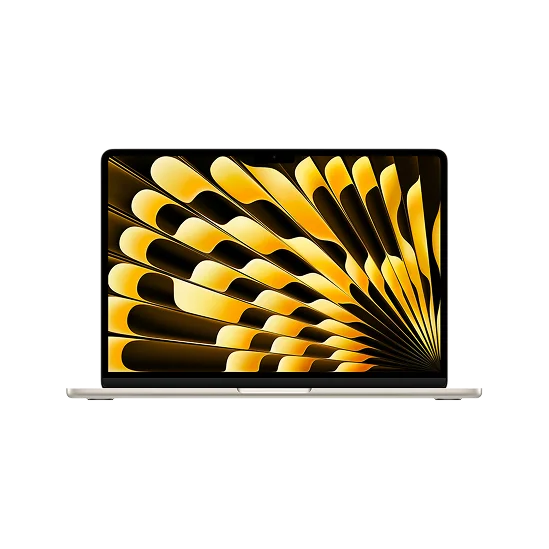
The Air can look like the sensible choice until a Pro offer comes close enough to consider. Then the better screen, extra connections and chip options all compete for the same part of your budget.
Before moving up, identify what would change in a normal week. A Canadian checkout total can also differ from the price first shown, so compare complete configurations and the final cost. The right upgrade is one you will use regularly, not simply the next model in the range.
Separate a busy day from a sustained heavy workload
Email, research, spreadsheets, coding, and occasional creative work can make a day busy without requiring a professional workstation. The M5 Air is a plausible choice for that mix, with memory and storage chosen to match your applications.
The distinction becomes clearer when demanding work continues for a long time. A large export, repeated builds, or a complex effects job gives the computer fewer pauses to recover. The Air is fanless, which keeps it silent. The Pro uses active cooling, giving it a different way to manage heat during sustained workloads.
That is a reason to examine the Pro if heavy processing is part of your routine. It is not a promise that every document or website will feel dramatically faster. A laptop can be underused at a desk just as easily as in a backpack.
Choose a chip before comparing the Pro badge
MacBook Pro does not describe one performance level. A 14-inch Pro with a base M5 is a different purchase from a model with M5 Pro or M5 Max. The word Pro in the laptop name is not the same as Pro in the chip name.
The CPU comparison here uses the M5 with 10 CPU cores and 10 GPU cores and the M5 Pro with 15 CPU cores and 16 GPU cores. A multi-core result helps illustrate their capacity for work spread across CPU cores. It cannot tell you how quickly your particular project will finish, or account for memory limits and application support.
M5 Base + · 10 CPU, 10 GPU vs M5 Pro · 15 CPU, 16 GPU
Multi-Core benchmark · Score
| Chip | Score |
|---|---|
| M5 Base + · 10 CPU, 10 GPU | 17763 |
| M5 Pro · 15 CPU, 16 GPU | 26059 |
For ordinary application responsiveness, the bigger chip may make less difference than that comparison suggests. For work that regularly uses many cores, it is a more relevant part of the decision. Start from a task you can name, such as repeated large builds, rather than buying the highest score you can afford.
The Pro screen can matter even when the Air is fast enough
The Pro's Liquid Retina XDR display and ProMotion offer a different viewing experience from the Air. That can matter for HDR work, detailed visual review, or someone who values the display every day. It does not remove the need for a suitable colour-managed workflow.
Screen space is a separate question. A 15-inch Air can be a comfortable choice for documents, spreadsheets, and editing panels when you do not need the Pro's processing headroom. A 14-inch Pro puts its screen features and connections in a more compact footprint than the 16-inch model.
If you spend most working hours on an external monitor, consider how much you will use the laptop display. You may get more value from the right monitor and sufficient memory than from a screen upgrade that remains closed most of the day.
Think through the equipment on your desk
The Air provides MagSafe charging and two Thunderbolt 4 ports. The Pro adds useful built-in connections including HDMI and an SDXC card slot. For a photographer importing cards or a presenter using HDMI regularly, carrying fewer adapters can be a genuine convenience.
A well-chosen hub can serve an Air owner perfectly well. The point is to compare complete setups. Add the dock, card reader, or storage you actually need, and consider what you want to carry on days away from the desk.
Give memory and storage their own part of the budget
A higher chip tier cannot compensate for every memory shortage. If your normal projects keep several demanding applications active, consider whether a better-equipped Air or an appropriate Pro configuration gives the balance you need. Internal memory is a choice to settle before purchase.
For a practical price reference, these Canadian histories compare a 13-inch M5 Air with 16GB/512GB against the specific 2025 14-inch base-M5 Pro with 16GB/512GB. They compare two listed configurations, not every current Air or Pro offer.
MacBook Air 13" (M5 Base, 2026) · M5 Base · 10 CPU, 8 GPU · 16GB RAM · 512GB SSD
Canada · CAD
Loading the exact comparison…
Lowest-priced sellers
Loading the exact comparison…
MacBook Pro 14" (M5 Base+, 2025) · M5 Base + · 10 CPU, 10 GPU · 16GB RAM · 512GB SSD
Canada · CAD
Loading the exact comparison…
Lowest-priced sellers
Loading the exact comparison…
Include sales tax and necessary equipment when checking the seller's final total. An older configuration with the right capacity can be more useful than a newer one that forces you to compromise on the way you work.
Choose the Air when its quiet design and available configurations cover your workload comfortably. Choose the Pro when sustained processing, its display, or its connections solve a regular problem. Compare Air and Pro configurations on WhichM around that reason for upgrading, and the price difference becomes much easier to judge.